DuoFX Currency Strength Meter
Know who is strong and who is weak, before you place a single trade. Every forex pair is a tug of war between two currencies. DuoFX Currency Strength Meter scans all 28 major and cross pairs, scores all eight majors and puts the answer on your chart: strongest on top, weakest at the bottom, and the pair that matches them flagged for you. In one second, not twenty minutes of flicking charts.
- Scans all 28 major and cross pairs and ranks the 8 majors live, strongest on top.
- Short, medium and long term strength side by side, plus one click for every timeframe.
- Bold heat map from deep red to vivid green, with the strongest vs weakest pair flagged for you.
- Dark and light themes, drag anywhere, minimise to a bar. Works with any broker suffix.
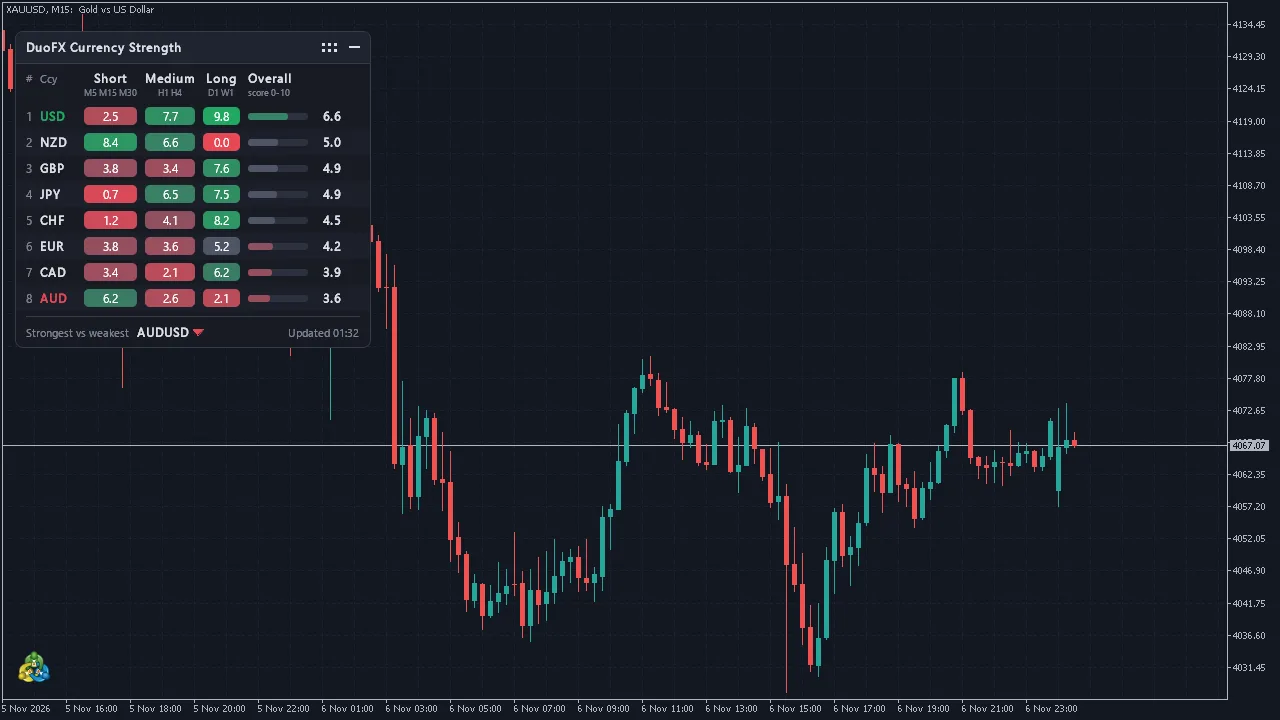
Short term, medium term, long term: all at once
Strength is split into Short term (M5, M15, M30), Medium term (H1, H4) and Long term (D1, W1), plus an Overall score, so scalpers, day traders and swing traders all read it their way.
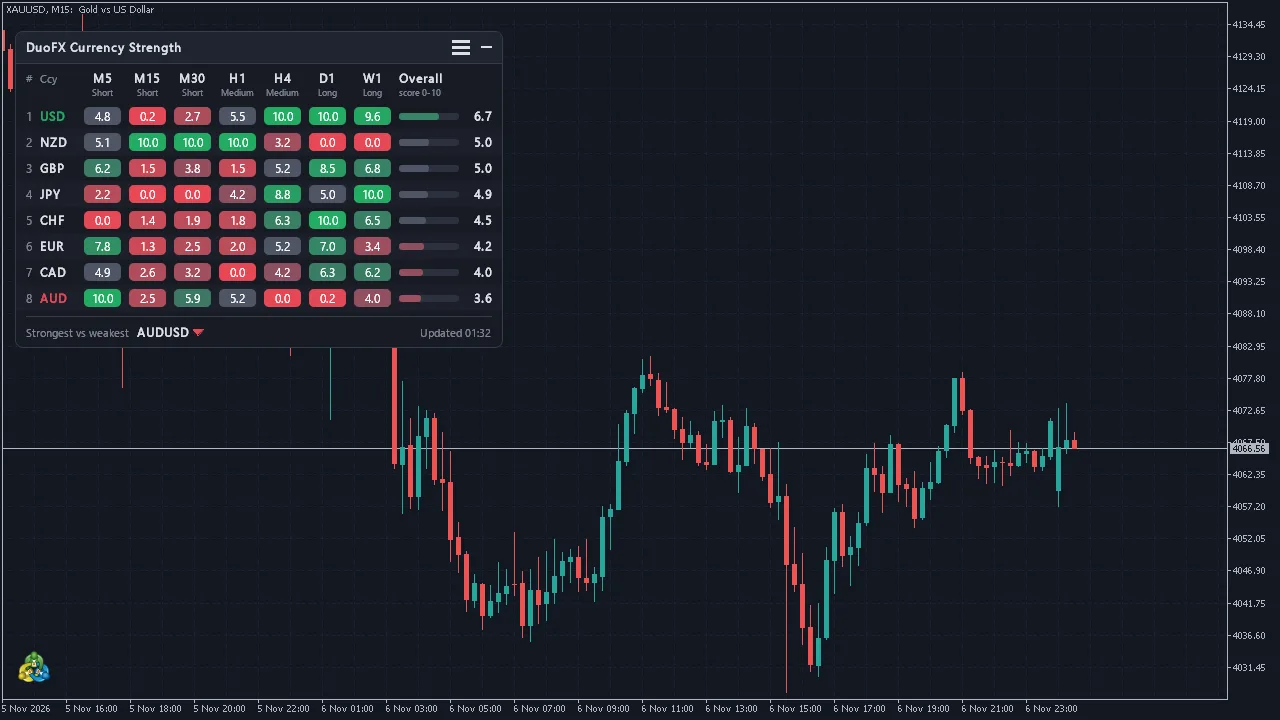
Spot the moment every horizon lines up behind one currency, and the moment they disagree. One click opens a column for every single timeframe, and every group is configurable from M1 to MN1.
Read the whole market in a heartbeat
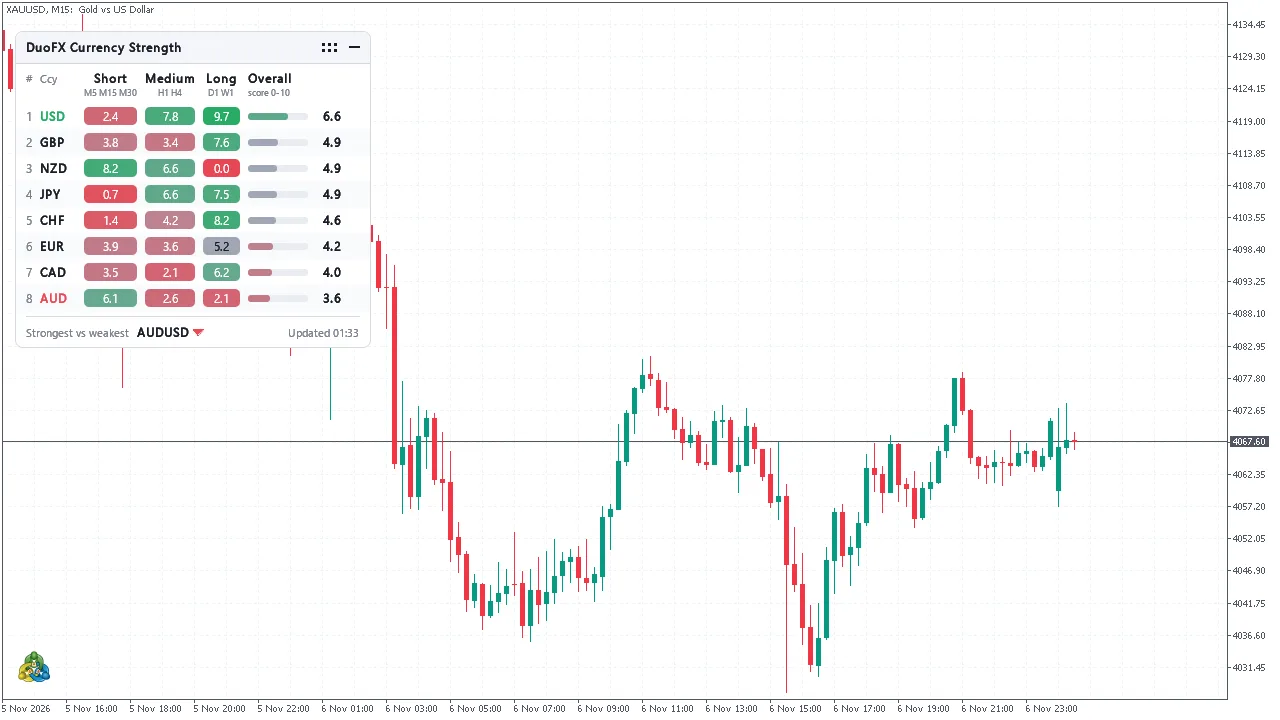
A heat map from deep red (weakest) to vivid green (strongest), all eight currencies ranked with their own strength bar, and the strongest vs weakest pair served up with its direction. Choose a clean 0-10 score or the raw % change.
A dashboard built like premium software
An opaque, razor-sharp panel that always sits on top of your candles. Drag it anywhere and it remembers its spot. Collapse it into a slim bar that still shows the strongest and weakest currency. Dark, light or automatic theme, and a layout that rebuilds itself around your font size so it stays crisp on standard, retina and 4K screens.
Fast and featherweight
It runs on a timer, not on every tick, and redraws only when something changes. Broker symbol prefixes and suffixes (EURUSD.a, EURUSDm and others) are detected automatically and missing pairs are skipped. No DLLs, no internet connection, nothing extra to install.
How strength is calculated
For each timeframe the indicator takes the % change of every available pair over the lookback, adds it to the base currency and subtracts it from the quote currency, then averages each currency over its pairs. Scores rescale the eight currencies to 0-10 on each timeframe, and the groups and Overall average them.
Specifications
| Platforms | MetaTrader 5 and MetaTrader 4 |
|---|---|
| Type | Indicator (dashboard on the chart) |
| Currencies | USD, EUR, GBP, JPY, CHF, CAD, AUD, NZD |
| Pairs | All 28 majors and crosses, missing ones skipped |
| Timeframes | Any from M1 to MN1, grouped into short, medium and long term |
| Values | Score 0-10 or % change |
| Settings | Timeframe groups, lookback, values, sort order, columns, refresh, prefix and suffix, corner, offsets, theme, font, start minimised |
| Requirements | No DLLs, no internet connection |
See it on the chart
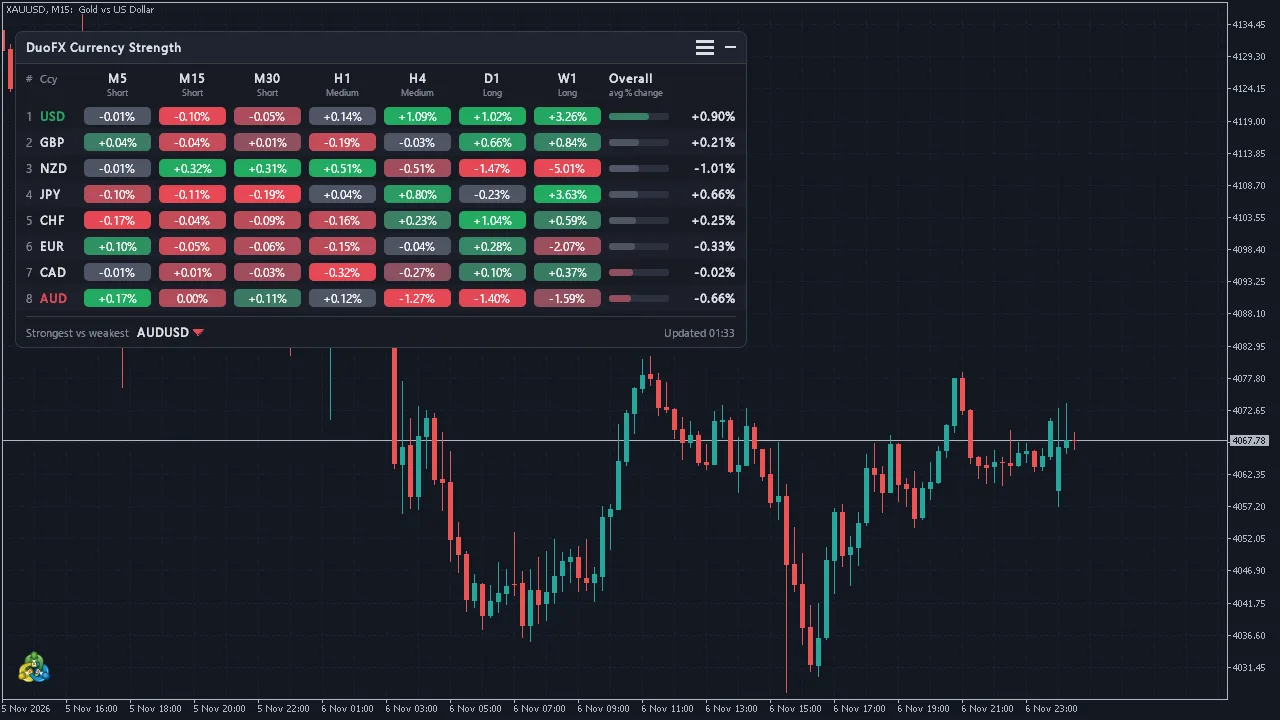
DuoFX Currency Strength Meter: questions and answers
Does the Currency Strength Meter work on MT4 and MT5?
Yes. There is a version for MetaTrader 5 and one for MetaTrader 4, with the same features and look. Each is a separate listing on the MQL5 Market.
Does it work with my broker's symbol names?
Yes. Prefixes and suffixes such as EURUSD.a or EURUSDm are detected automatically, and pairs your broker does not offer are skipped.
Is it a signal system?
No. It measures and ranks currency strength so you can analyse faster. It does not place trades or promise results.
Where do I buy DuoFX tools?
Every DuoFX tool is sold on the official MQL5 Market. Checkout, licences and updates are handled there, and you can install straight from the Market tab inside MetaTrader.
Can I try a tool before buying?
Yes. The MQL5 Market offers a free demo of every paid product, which runs in the MetaTrader Strategy Tester.
Get DuoFX Currency Strength Meter today.
Secure checkout, free demo and free updates through the official MQL5 Market.