DuoFX Divergence Scanner
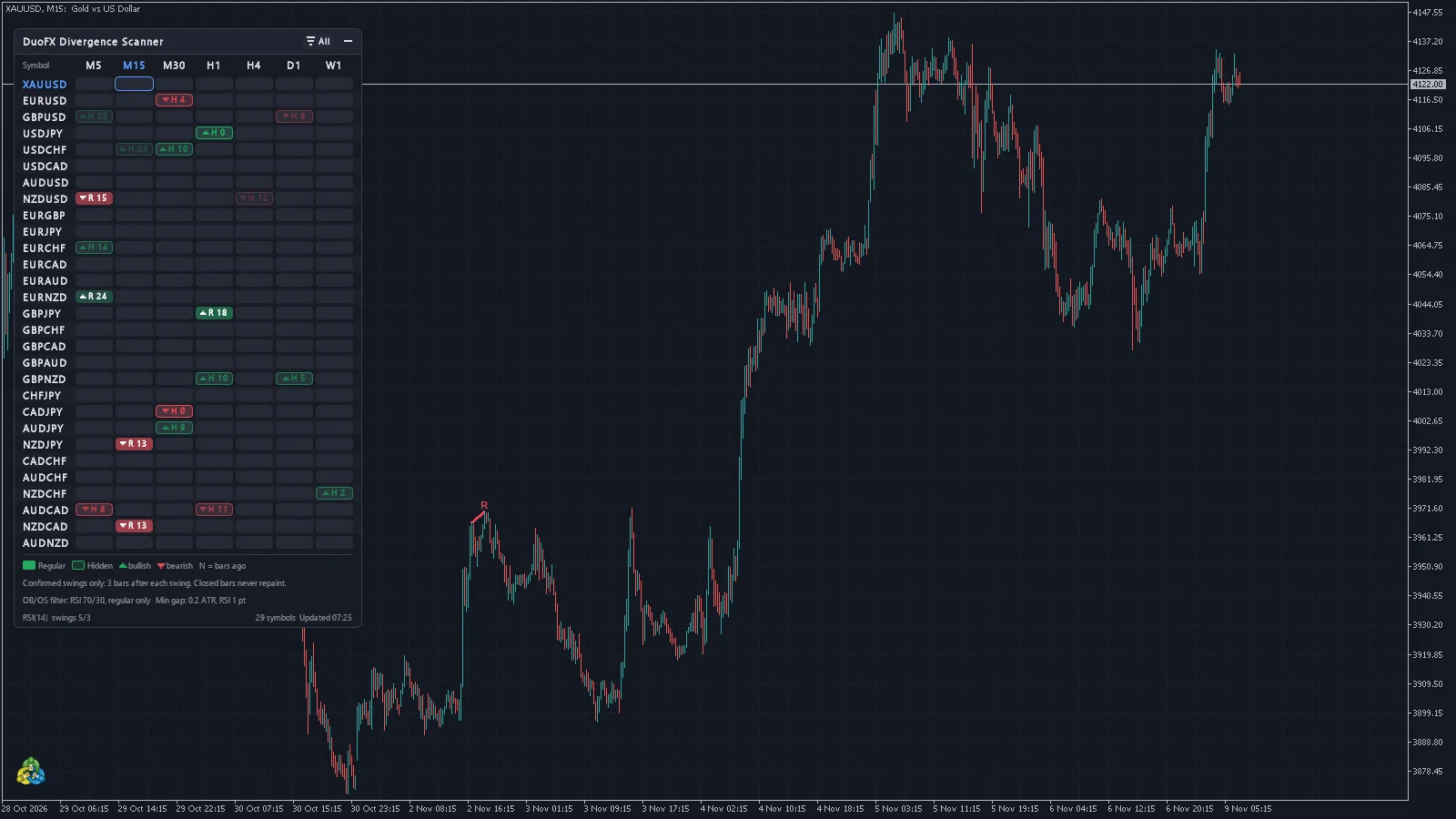
Regular and hidden divergence across 28 pairs and gold, on one grid. Divergence is one of the oldest warnings in trading: price makes a new high, momentum does not. DuoFX Divergence Scanner watches all 28 major and cross pairs plus gold on up to 9 timeframes at once, and lights up each regular and hidden divergence that passes your filters as soon as the swing is confirmed. One glance at the grid, one click on a cell, and the chart is in front of you.
- RSI, MACD, OsMA, Stochastic, CCI or Momentum divergence, regular and hidden.
- 28 pairs plus XAUUSD on up to 9 timeframes in one multi timeframe dashboard.
- Confirmed swings only: signals on closed bars never repaint.
- Overbought and oversold filter, minimum gaps, one-click chart switching and alerts.
- One click opens the chart with the scanner's oscillator in its own pane, divergence lines drawn on the candles and in the pane.
Non-repainting divergence indicator: confirmed swings only
A swing counts only once a set number of bars have closed after it (3 by default). The signal appears on the bar that confirms the swing and stays as it is until it ages out of the grid. No signals that vanish after the fact.
Regular and hidden divergence: RSI divergence, MACD divergence, Stochastic and more
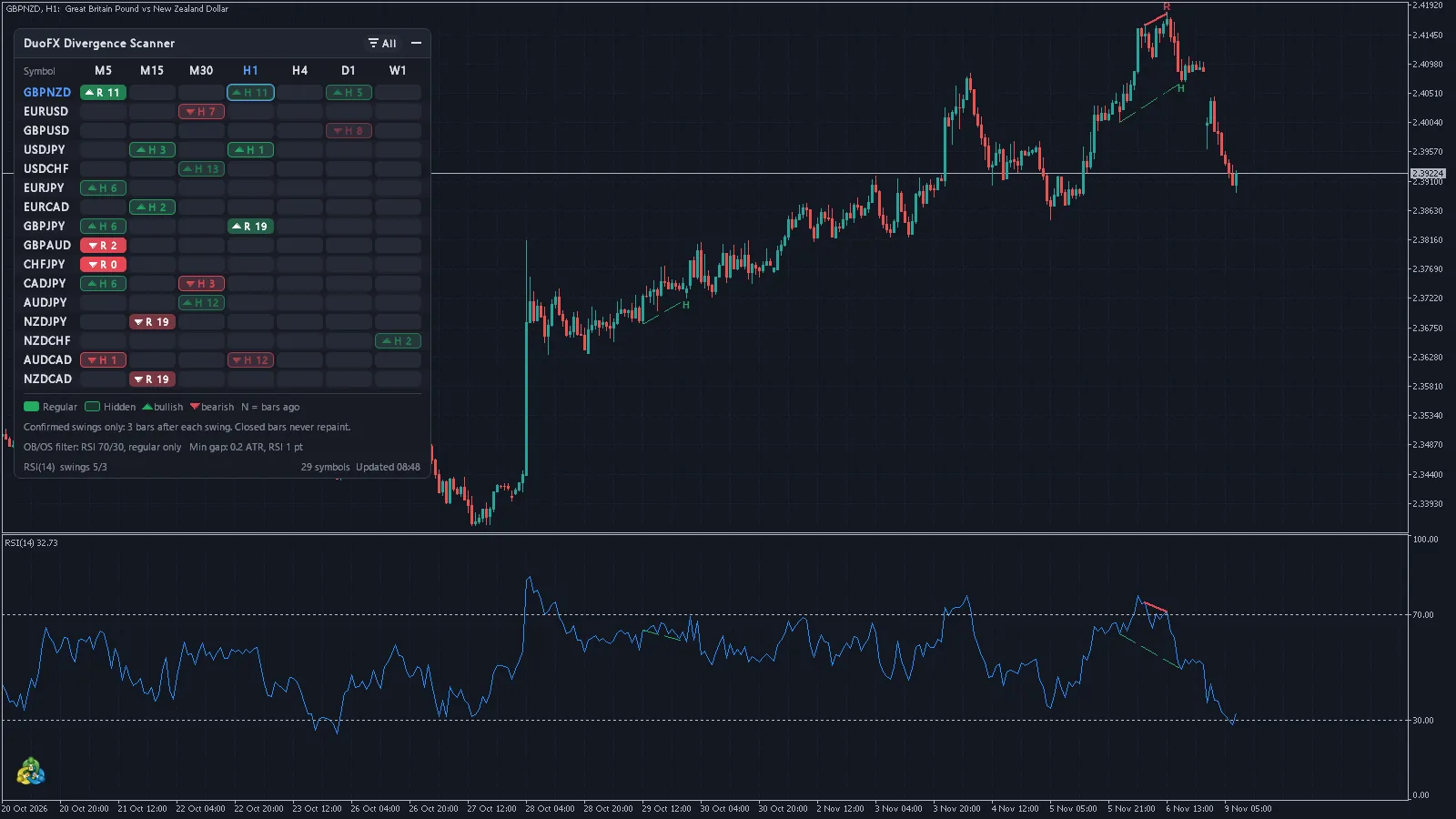
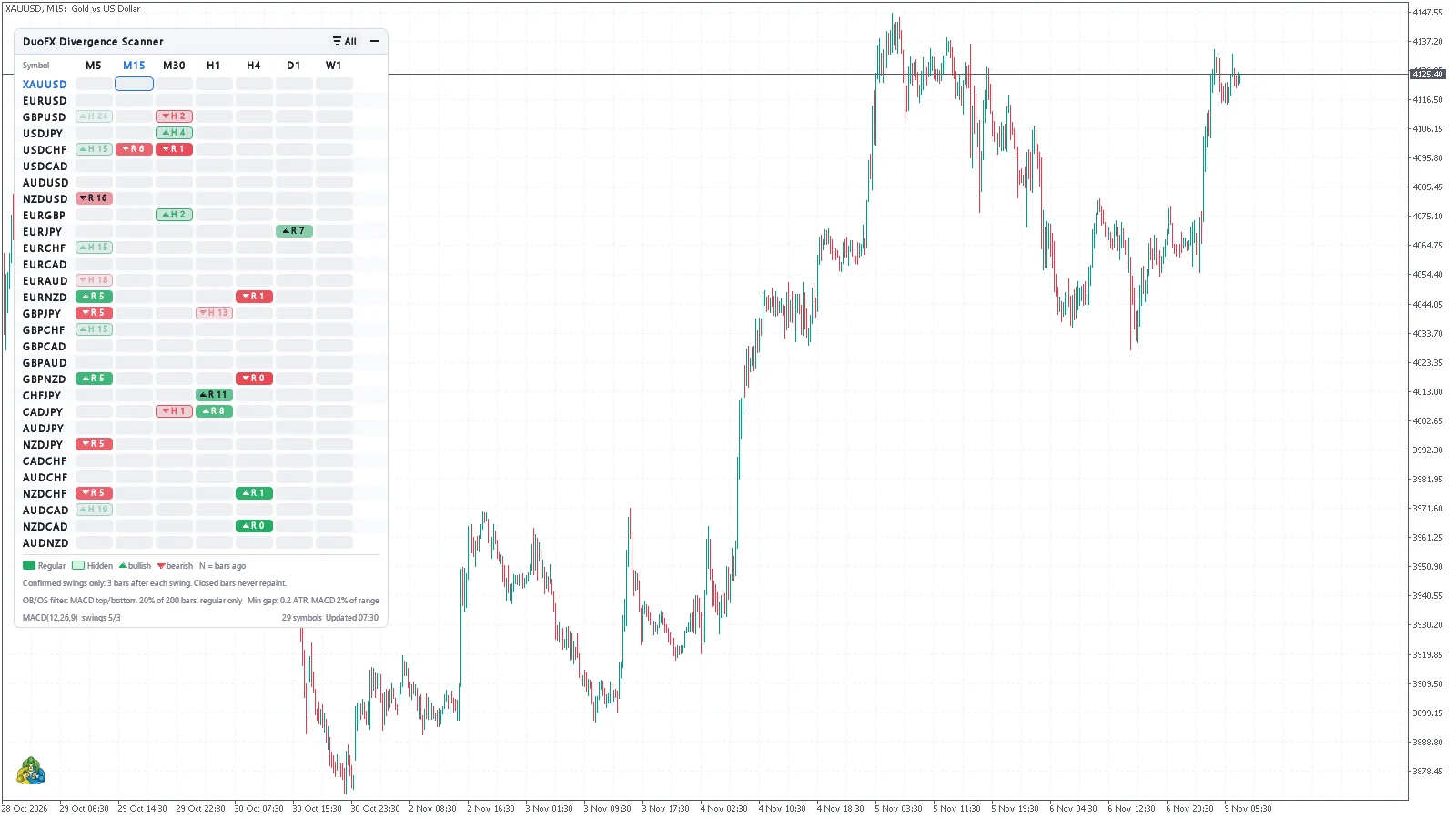
Regular bullish and bearish divergence for reversals, hidden bullish and bearish for trend continuation. Swings on highs and lows or on closes, a clean lines mode, and minimum gaps in price (0.2 ATR) and in the oscillator so near-equal swings are not dressed up as divergence.
Overbought and oversold divergence filter
On by default for regular divergence: bearish needs a swing high in overbought, bullish a swing low in oversold. RSI 70/30, Stochastic 80/20 and CCI +100/-100 out of the box; MACD, OsMA and Momentum use an adaptive zone from their own recent range. The grid, chart lines and alerts all follow the filter.
One click to the chart, with the oscillator in place
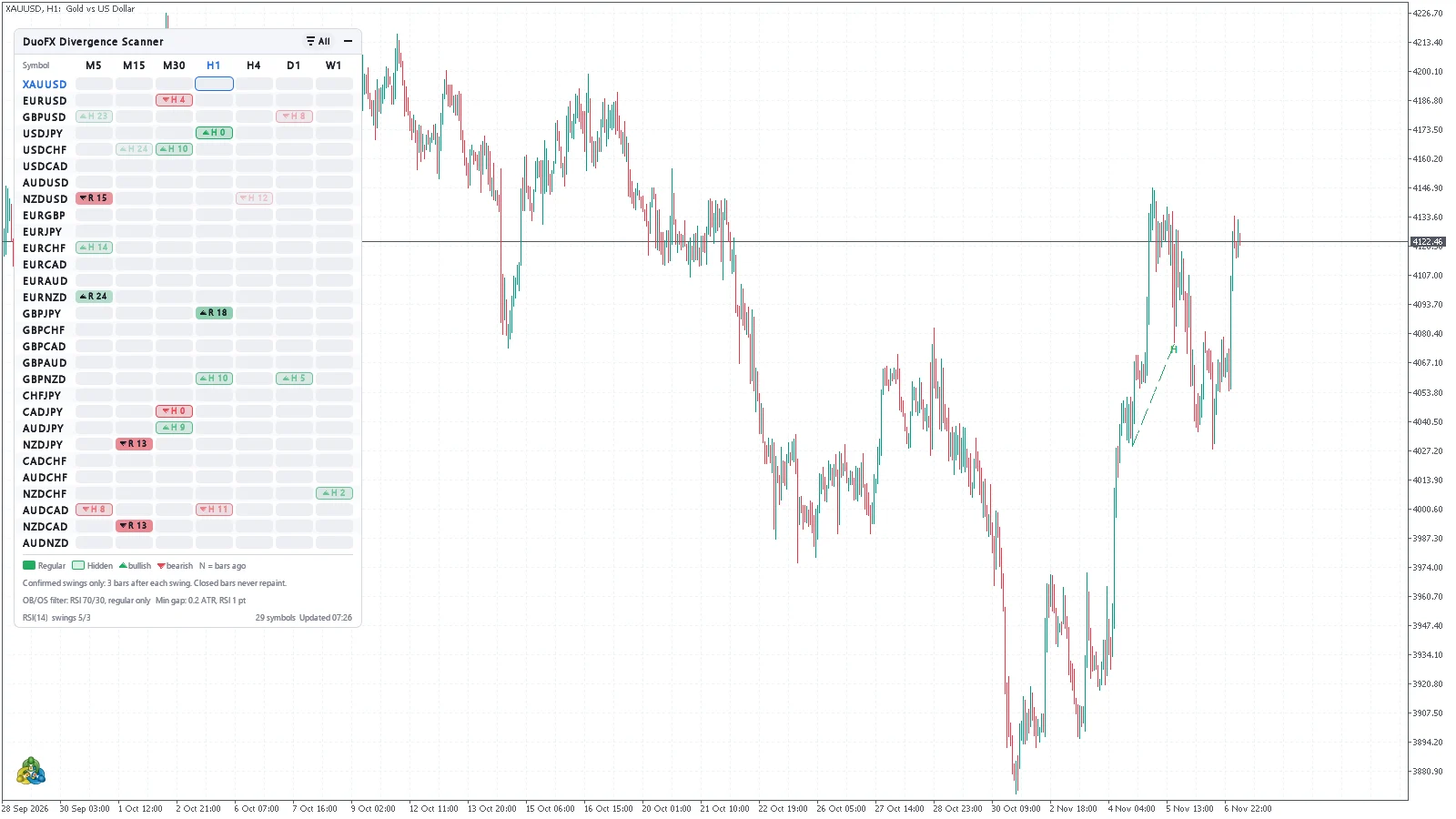
Click any cell and your chart switches to that symbol and timeframe, or opens a new chart if you prefer. The chart gets the scanner's oscillator in its own pane, the same oscillator and periods (RSI, MACD, OsMA, Stochastic, CCI or Momentum), so there is nothing to add by hand or retype. Each divergence is drawn twice, on the candles and in the oscillator pane, in the same colour and style: solid for regular, dashed for hidden. If the chart already shows that oscillator it is used as it is, and with "Add the oscillator to the chart (on a click)" on, when you change the scanner's oscillator only the pane the scanner added is swapped, so your own indicators stay, even ones you dropped into that pane. Two scanners on one chart each add their own pane and never remove each other's.
Multi timeframe, multi symbol divergence dashboard
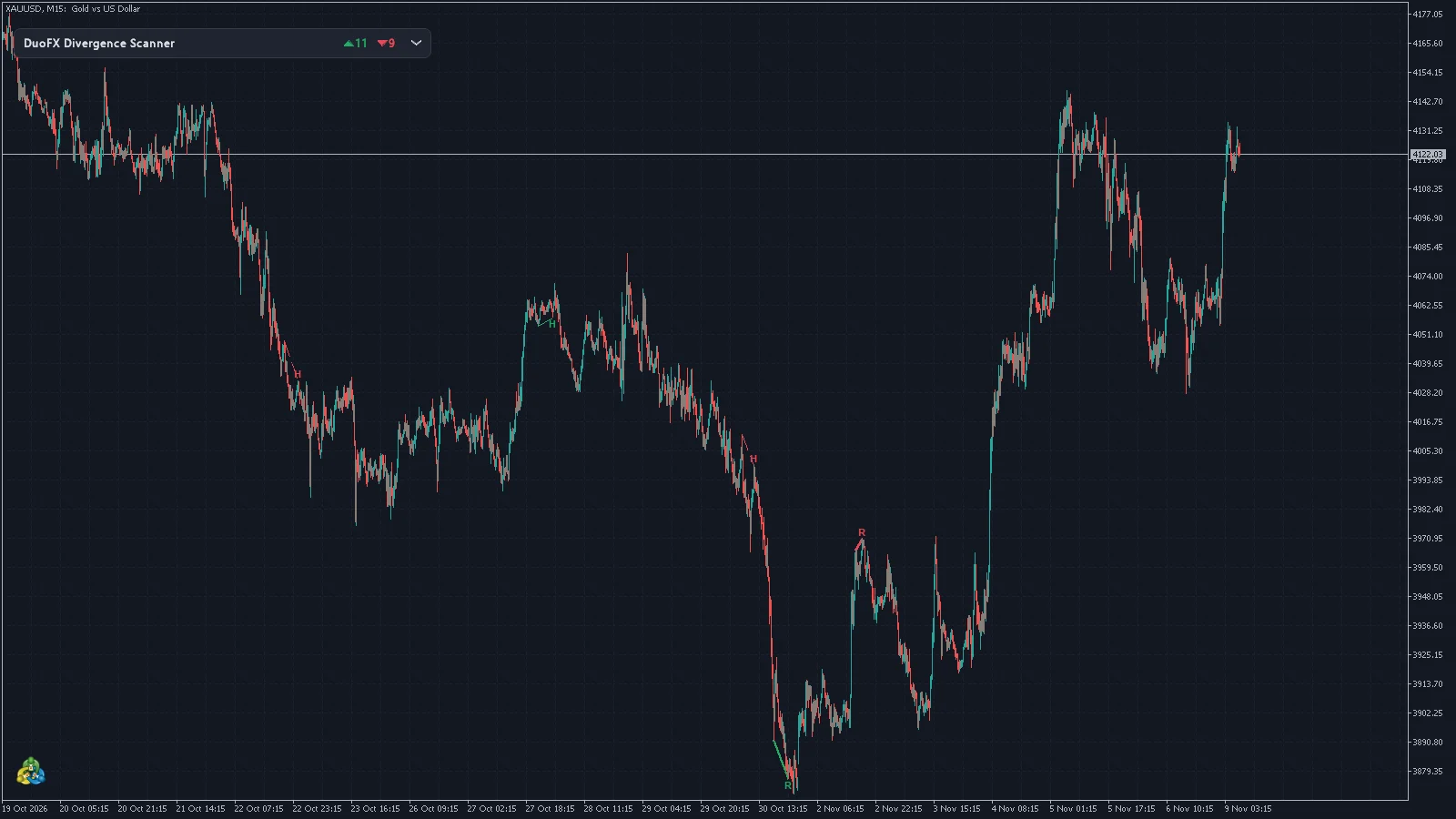
Solid cells for regular divergence, outlined for hidden, with direction and bars since confirmation. Cells fade with age and drop off when stale. Click a cell to switch your chart, and the divergences on the current chart are drawn on the candles. Popup, push, email and sound alerts, once per signal.
Specifications
| Platforms | MetaTrader 5 and MetaTrader 4 |
|---|---|
| Type | Indicator (scanner dashboard on the chart) |
| Oscillators | RSI, MACD, OsMA, Stochastic, CCI, Momentum |
| Symbols | 28 majors and crosses plus XAUUSD by default, up to 40 of your own |
| Timeframes | Up to 9 at once, M1 to MN1 (MT5 adds M2 to H12) |
| Alerts | Popup, push, email and sound, once per signal |
| Requirements | No DLLs, no internet connection |
| Price | US$30 |
See it on the chart
DuoFX Divergence Scanner: questions and answers
Does the divergence scanner repaint?
No. A swing counts only after the bars you set have closed after it, and a signal stays as it was when it appeared. It works on closed bars.
Which oscillators does it support?
RSI, MACD, OsMA, Stochastic, CCI and Momentum, with your own periods. One oscillator per instance.
What is hidden divergence?
Price makes a lower high while the oscillator makes a higher high, or the mirror on lows. Traders read it as the trend continuing.
Does it scan gold?
Yes. XAUUSD is in the default list, with GOLD used when your broker names it that way.
Can I try it in the demo?
The Strategy Tester runs one symbol, so the demo scans only the tested symbol. The full grid, clicks and alerts work in the live terminal.
Is it a signal system?
No. It flags divergence; you decide on entry, stop and size. It never trades and does not promise results.
Does the chart I click get the oscillator?
Yes, by default, unless the chart already shows it. A click adds the scanner's oscillator, same oscillator and periods, in a pane under the chart, and the divergence lines appear in that pane as well as on the candles. The pane stays when you click on to other symbols. Turn it off with "Add the oscillator to the chart (on a click)". On MT5 the pane shows the terminal's standard levels; on MT4 it shows the scanner's overbought / oversold levels.
Will it remove my indicators?
No. It never adds a second copy of an oscillator the chart already shows, and when you change the scanner's oscillator it replaces only the pane it added itself.
Anything different on MT4?
MT4 cannot add an indicator from code, so the scanner adds the pane by reloading that chart's own template once, with the oscillator in it, and once more if you later change the scanner's oscillator. Your indicators and drawings are kept, and other indicators on that chart restart once. A chart running an Expert Advisor is never reloaded, so the EA is never restarted: there the scanner tells you once to add the oscillator by hand, or to set "Click on a cell" to "Open a new chart".
What does "Open a new chart" give me?
On MT4 and MT5, with "Add the oscillator to the chart (on a click)" on, the new chart gets this chart's colours, the oscillator and a copy of the scanner for that one symbol with alerts off, so you never get the same alert twice. With it off, the new chart opens with your default template.
Where do I buy DuoFX tools?
Every DuoFX tool is sold on the official MQL5 Market. Checkout, licences and updates are handled there, and you can install straight from the Market tab inside MetaTrader.
Can I try a tool before buying?
Yes. The MQL5 Market offers a free demo of every paid product, which runs in the MetaTrader Strategy Tester.
Get DuoFX Divergence Scanner today.
Secure checkout, free demo and free updates through the official MQL5 Market.